Digipay “Split Bills”

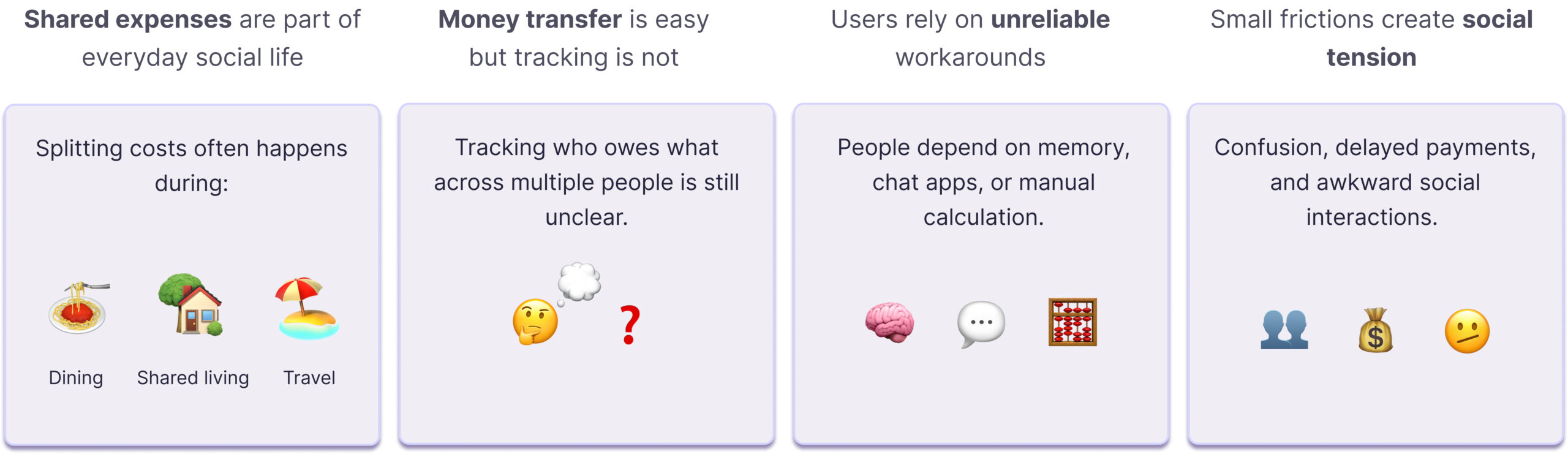
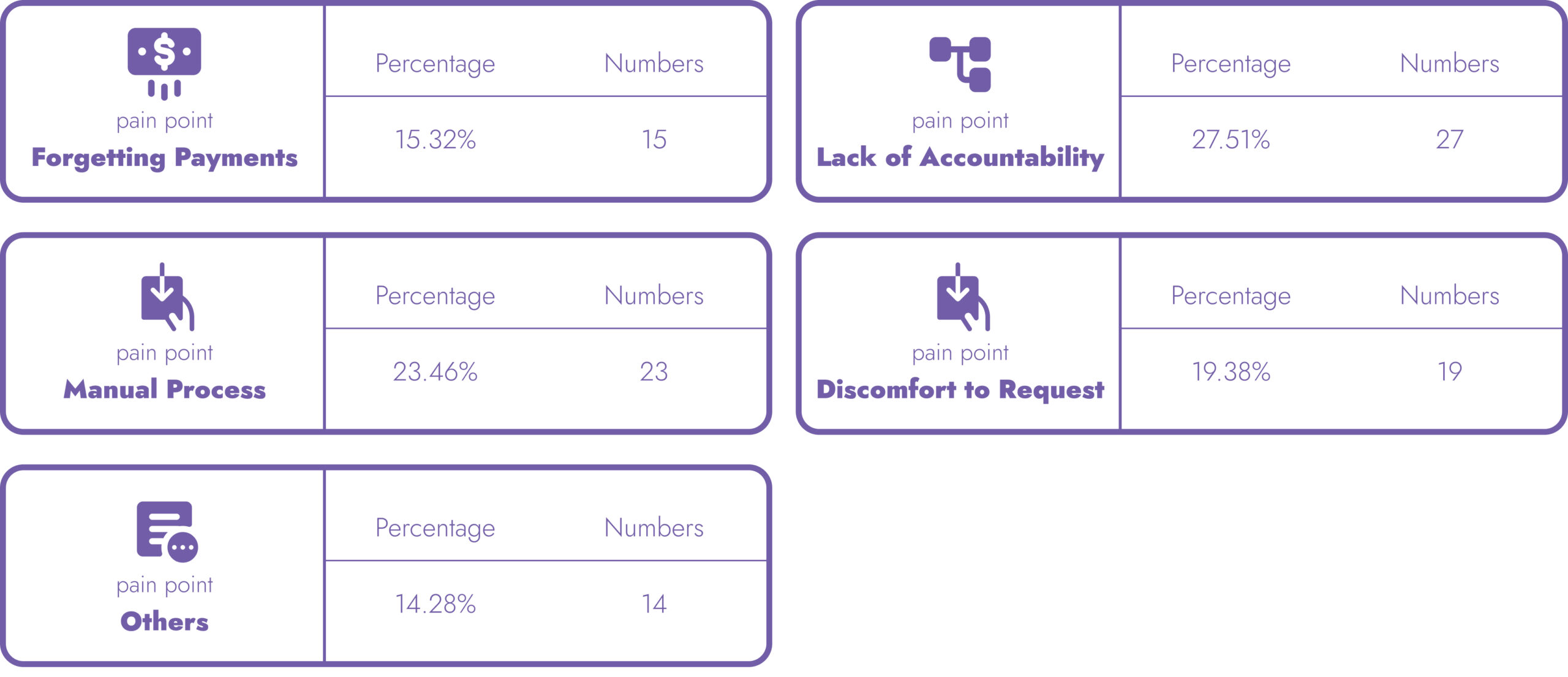
Splitting bills with friends should be simple. But between the awkwardness of asking for money and the chaos of tracking who paid what, it rarely is. This is the project where we fixed that.

“Designing a Feature That Makes Splitting Bills Feel Natural”

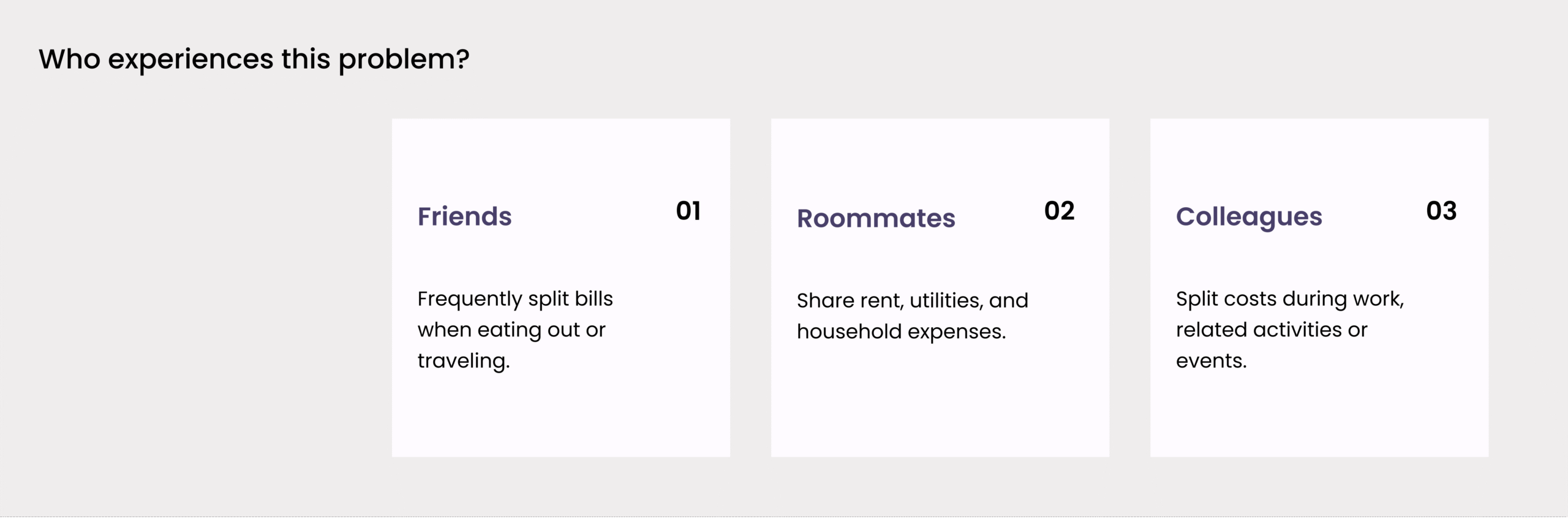
What is the problem?

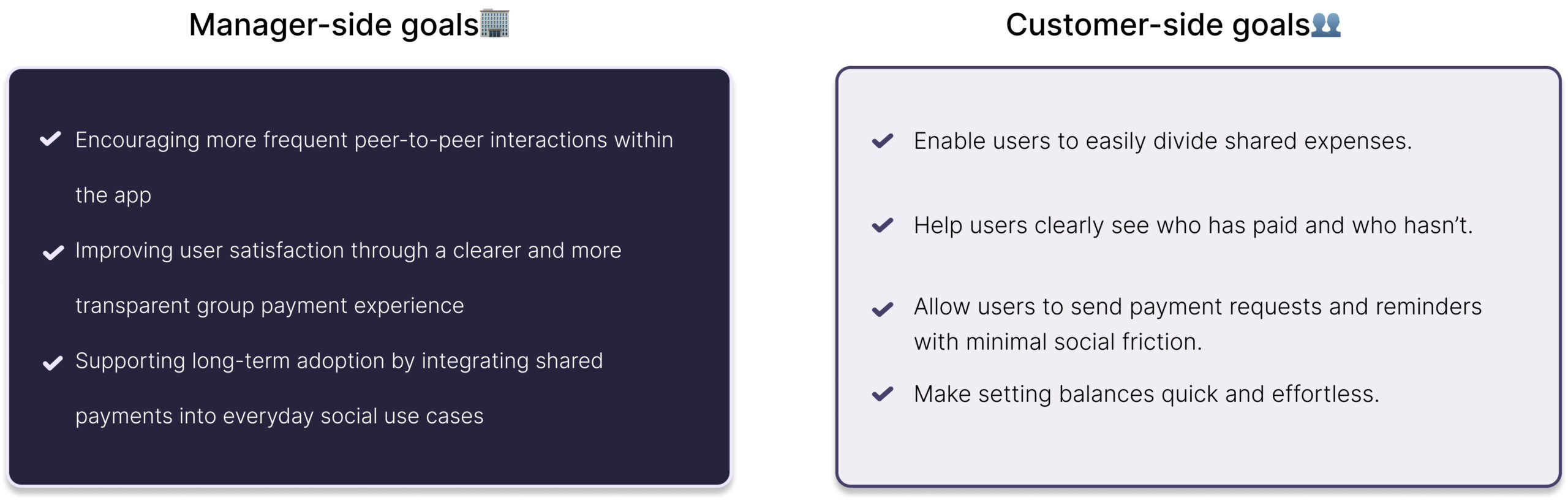
Design Goals

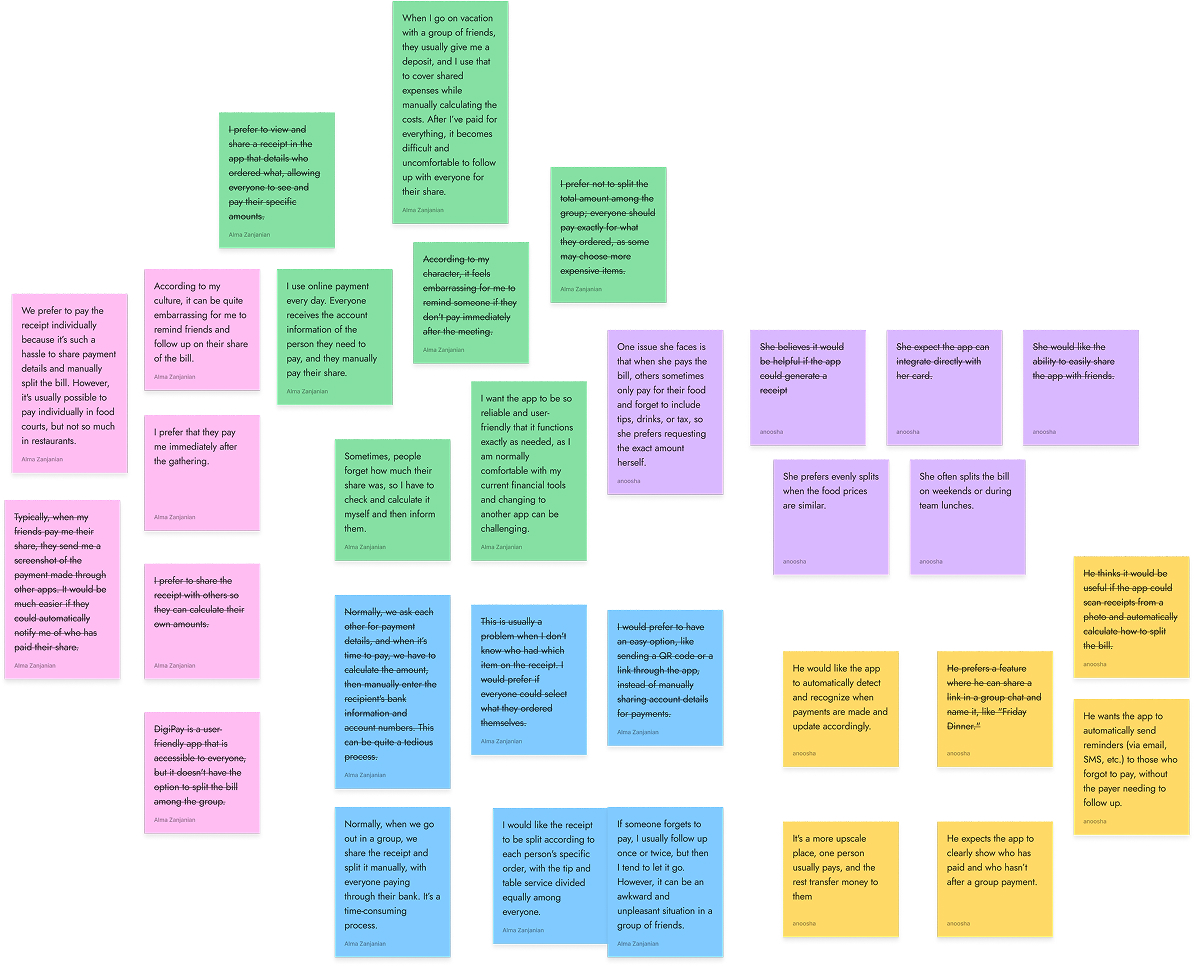
Research Phase

Drag

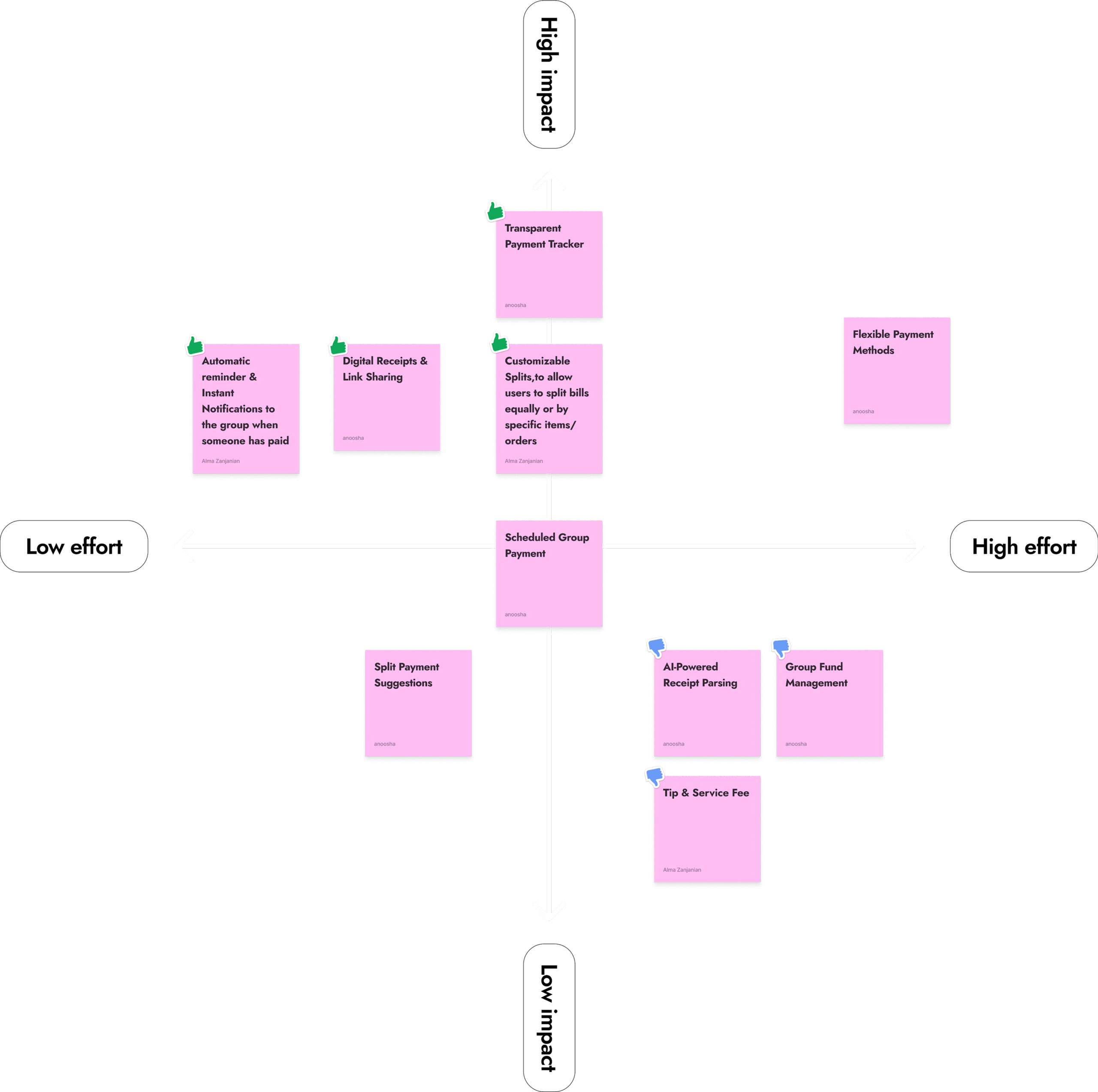
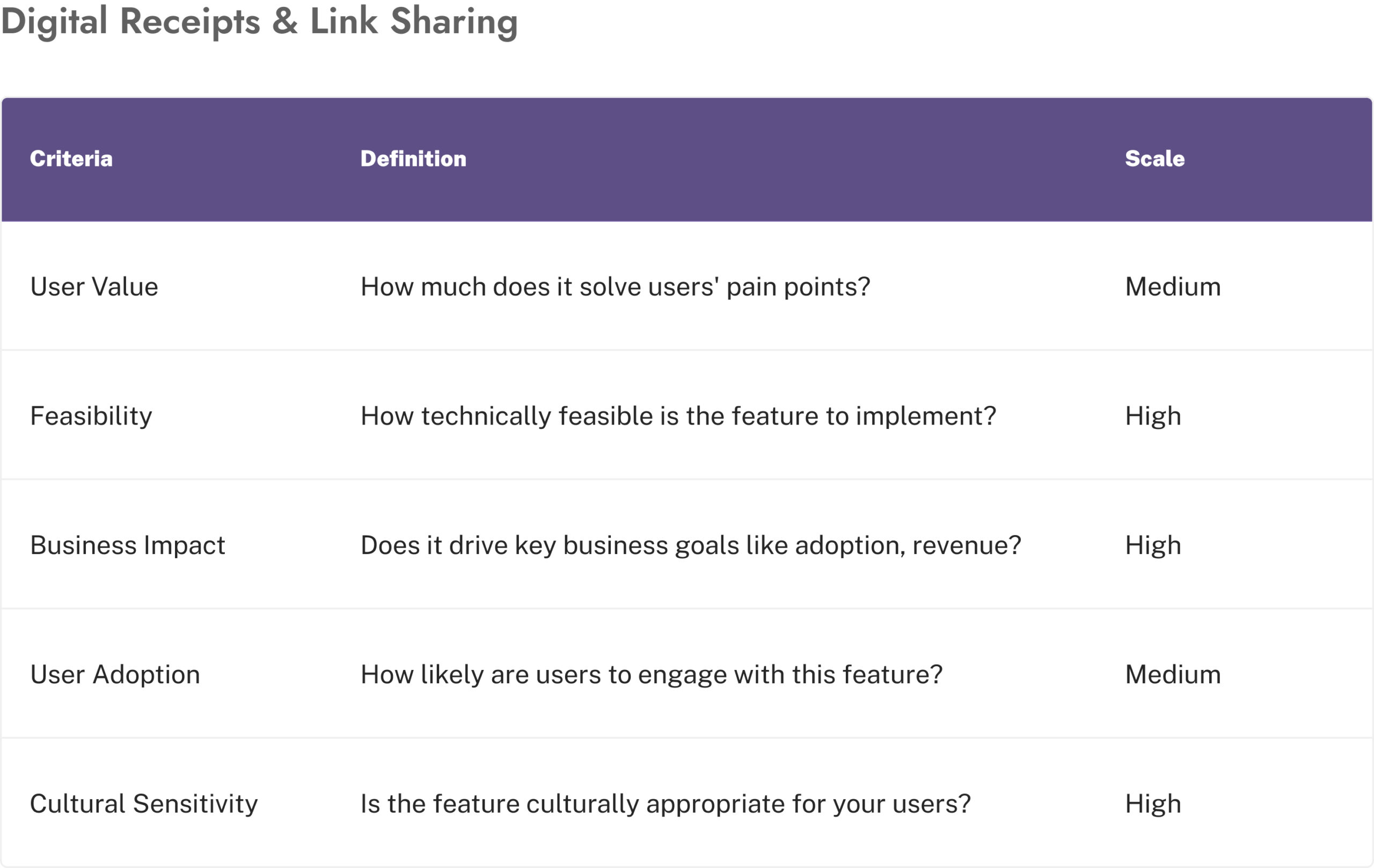
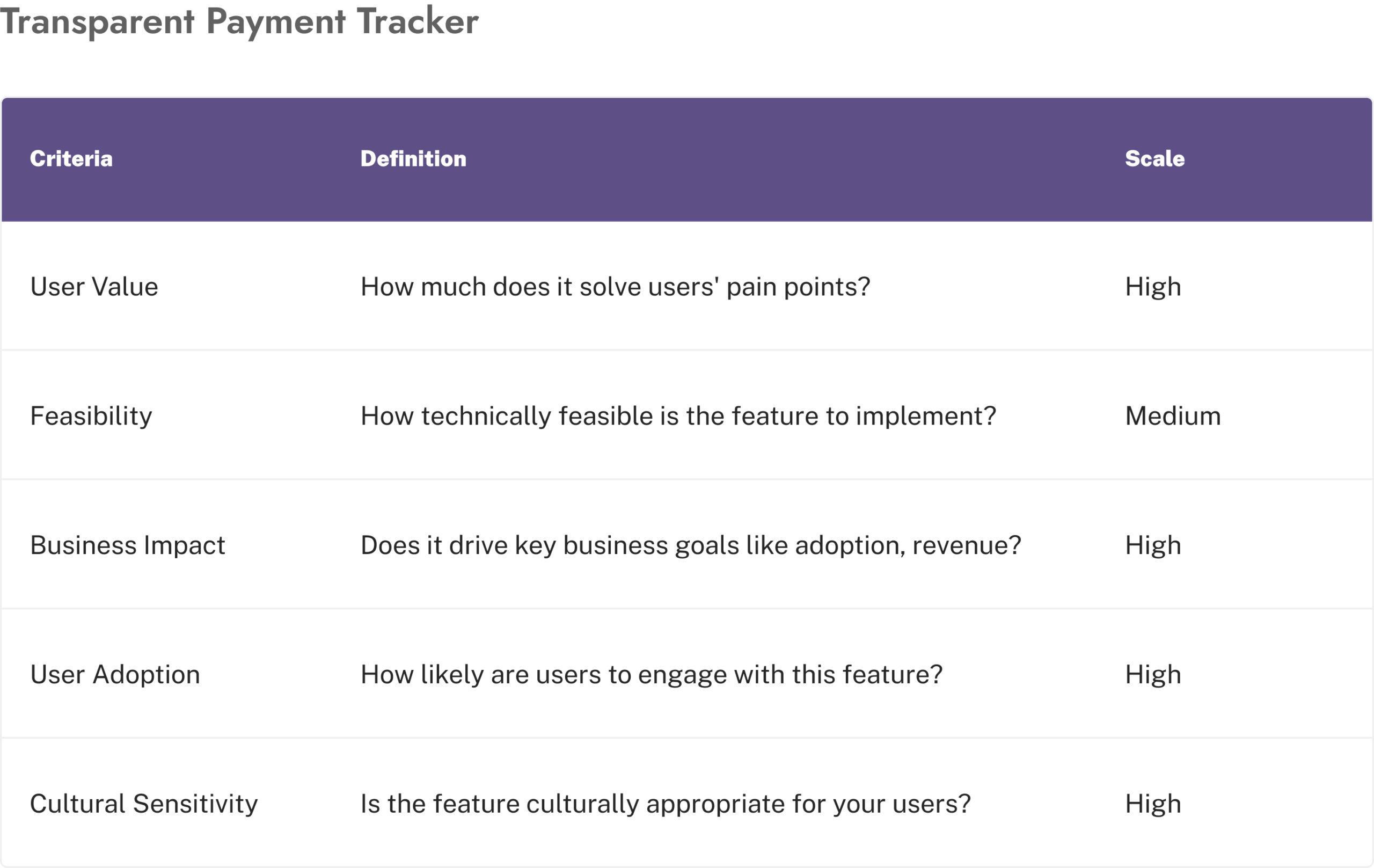
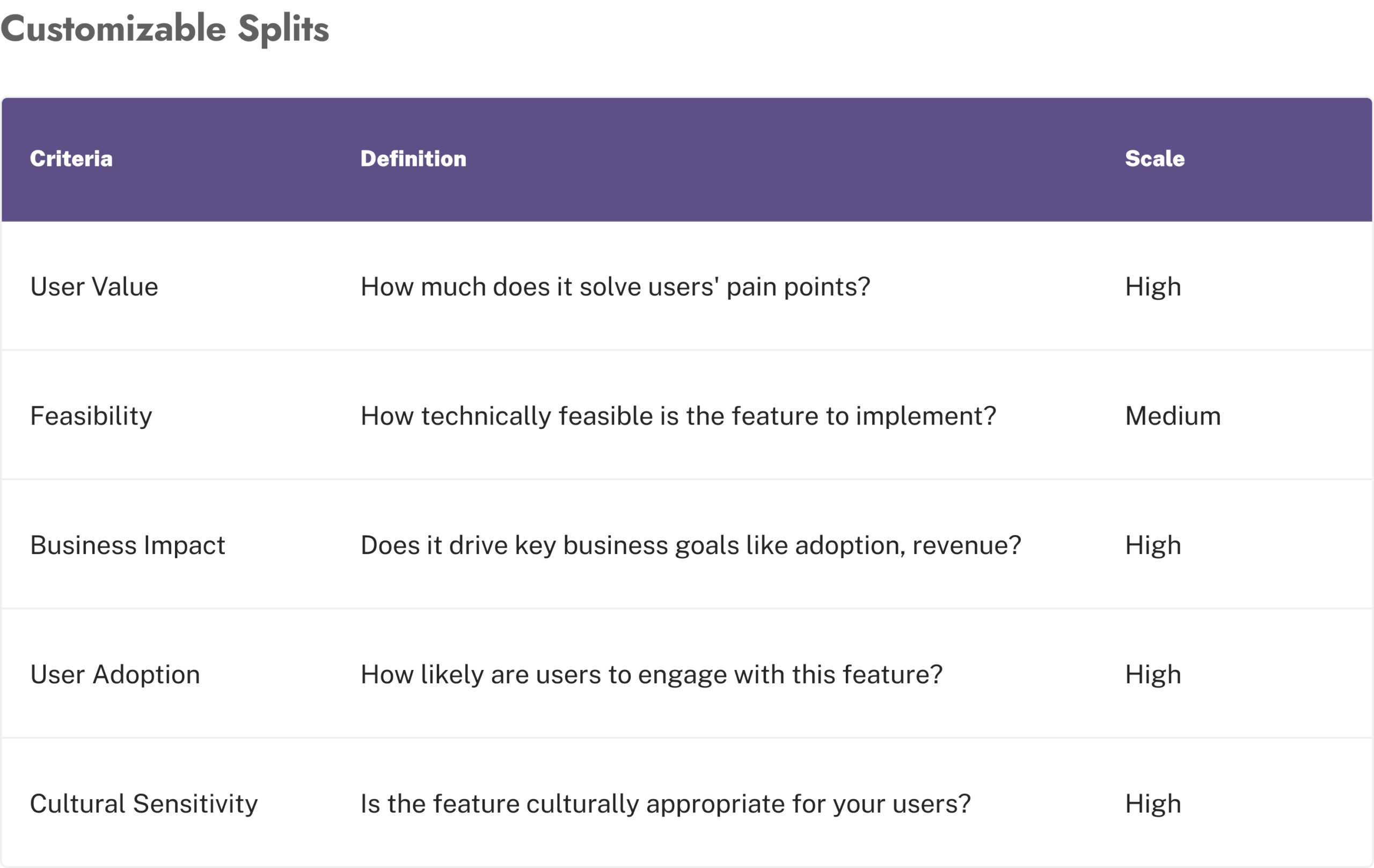
Ideation & Prioritisation

Automated Reminders and Notification

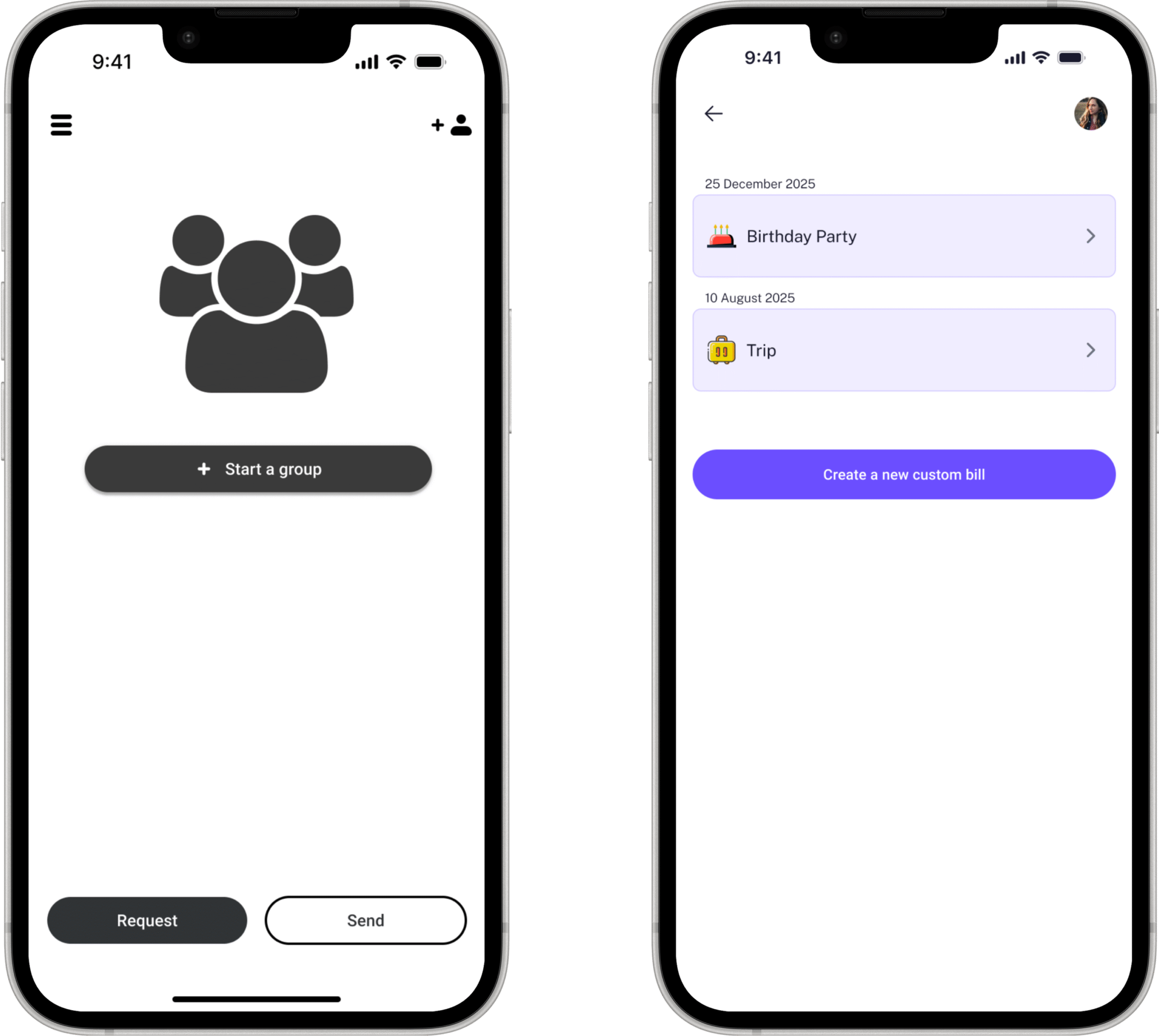
Group creation

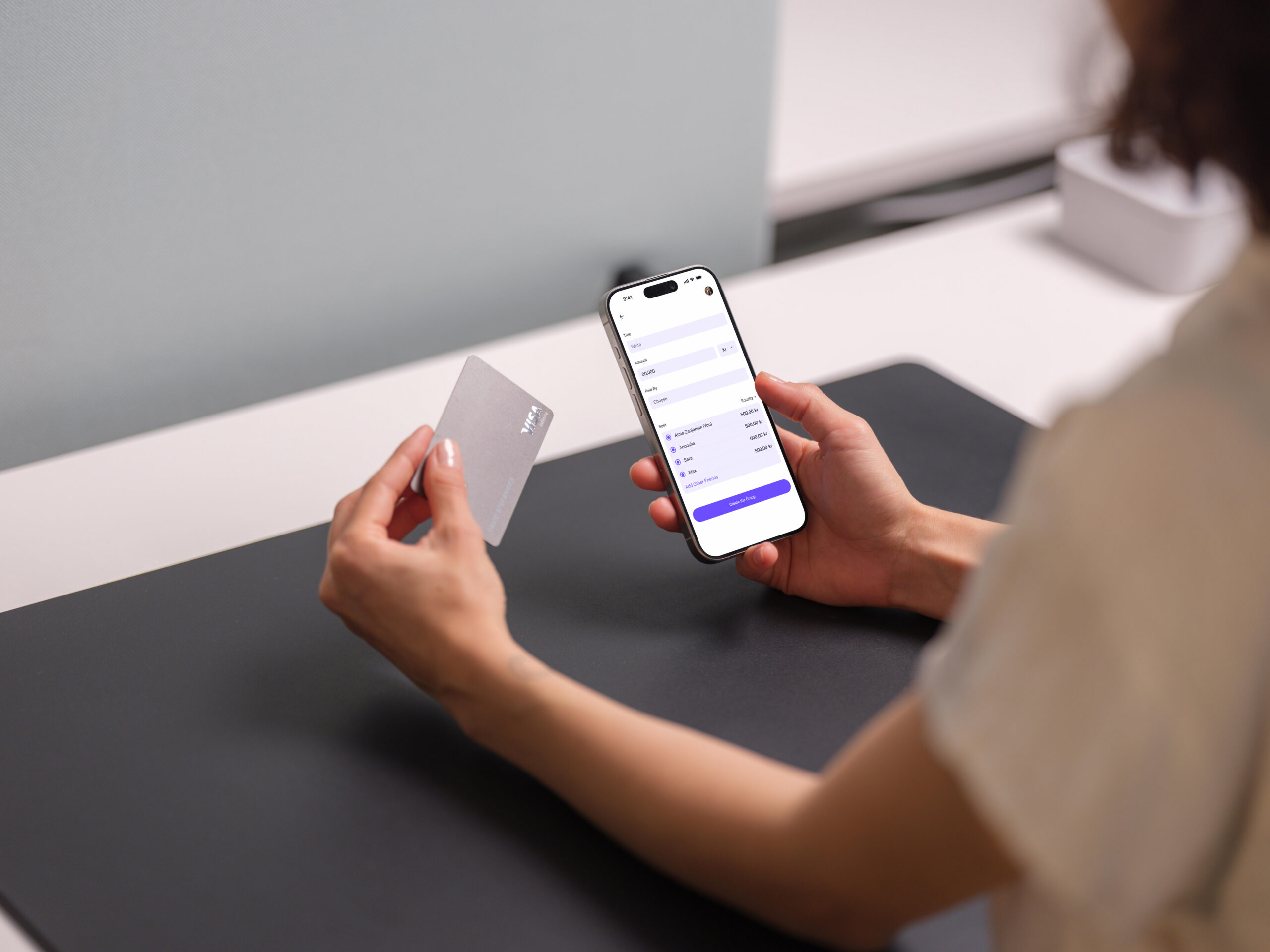
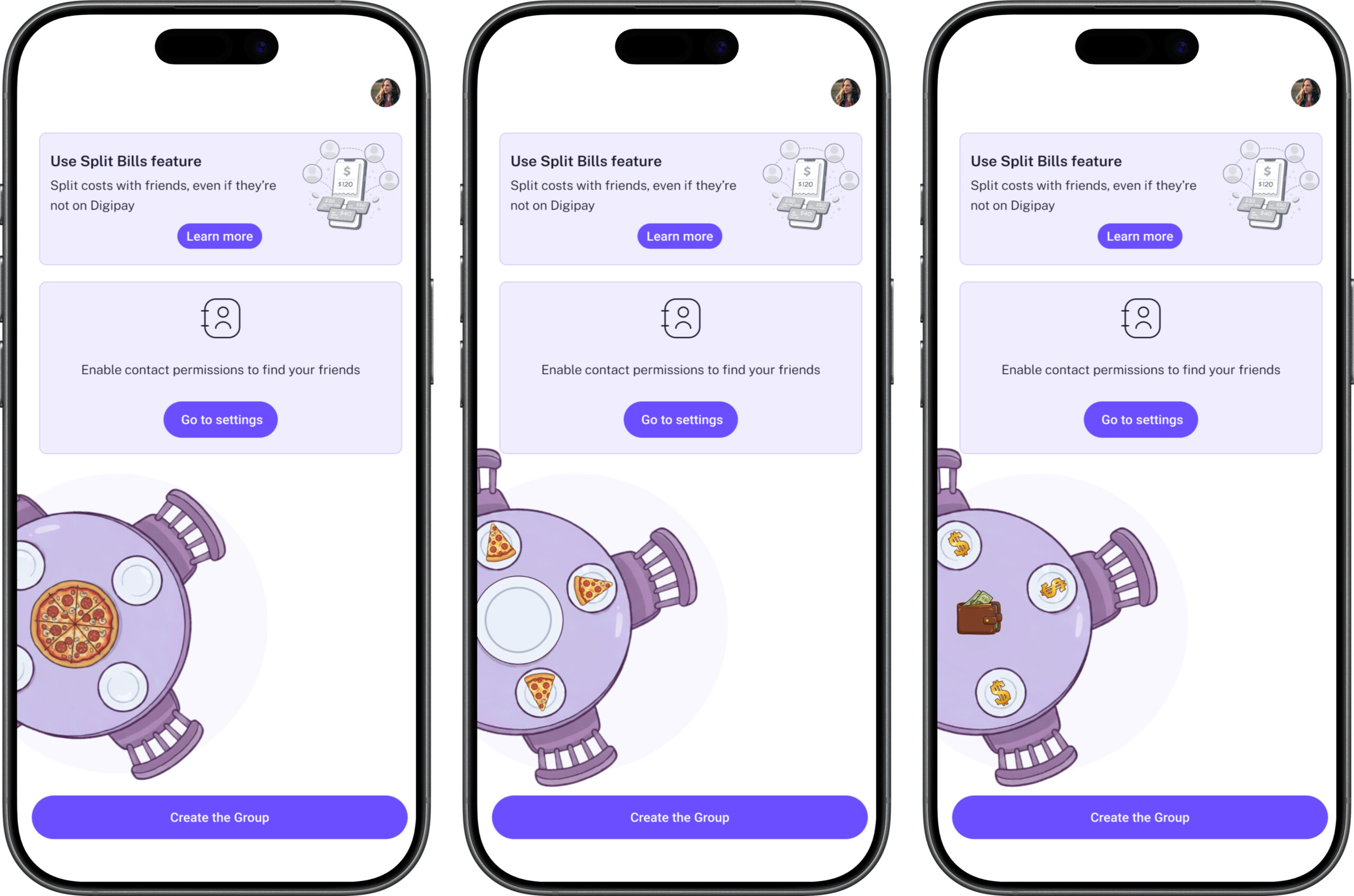
Designed so a user can create a group and add their first expense in under two minutes.


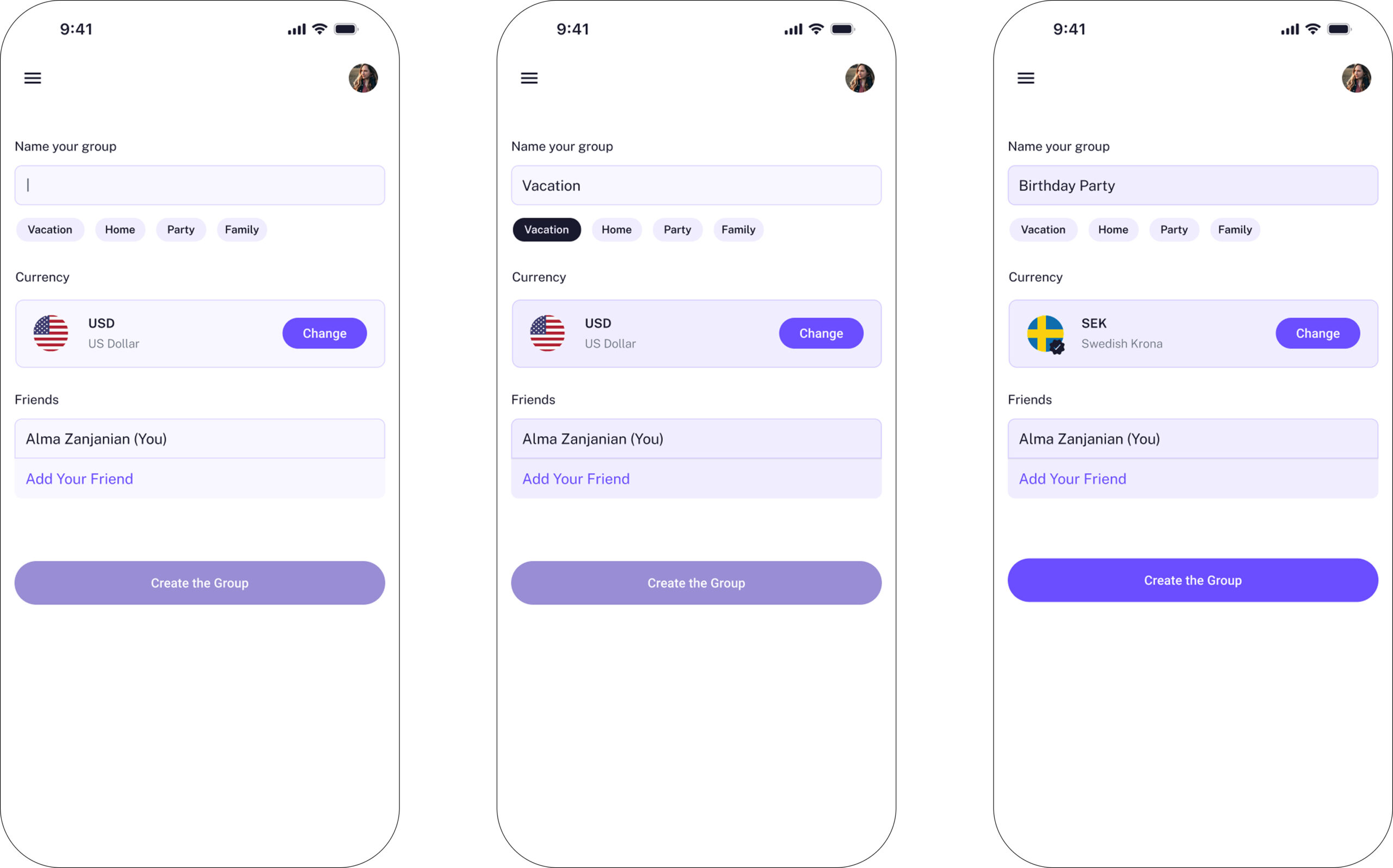
The category chips born from user confusion

Our first design had no chips. Just an empty text field with a cursor. In testing, this created consistent friction, users paused at the blank field unsure how to name their group. Decision paralysis at the very first step.

The chips; Vacation, Home, Party, Family, solved this in two ways simultaneously. They provided instant naming suggestions users could tap to populate the field. And they showed users the range of situations this feature supports. The moment someone saw “Vacation,” they understood immediately: this works for our summer trip too. The chips weren’t just UI convenience, they were a discovery mechanism for use cases.


The AI emoji assignment, a design judgment call

My colleague proposed allowing users to upload or choose a profile photo for each group. Reasonable. Personal.

I disagreed. And the product design lead agreed with my reasoning.
Adding photo upload to group creation adds friction at exactly the moment when a user wants to do something practical quickly. It places a creative burden on the user, choose or upload a photo, when their goal is to split a bill, not curate a group identity.

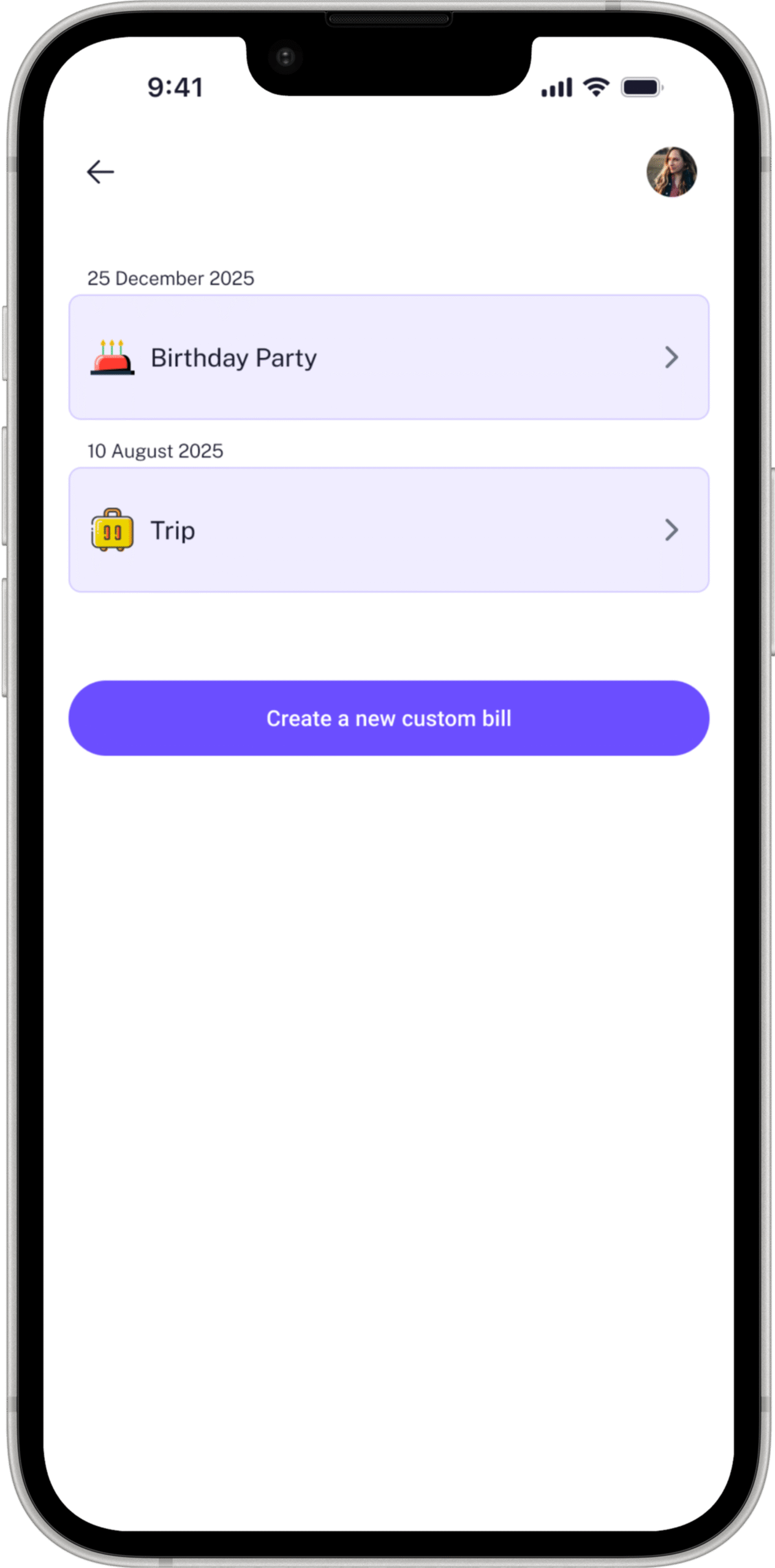
Instead we designed AI-generated emoji assignment. The system reads the keywords in the group name and assigns a contextually appropriate emoji automatically. No decision required from the user.

The result: a group list that feels personal and immediately scannable, without any creative effort from the user. AI reducing cognitive load.
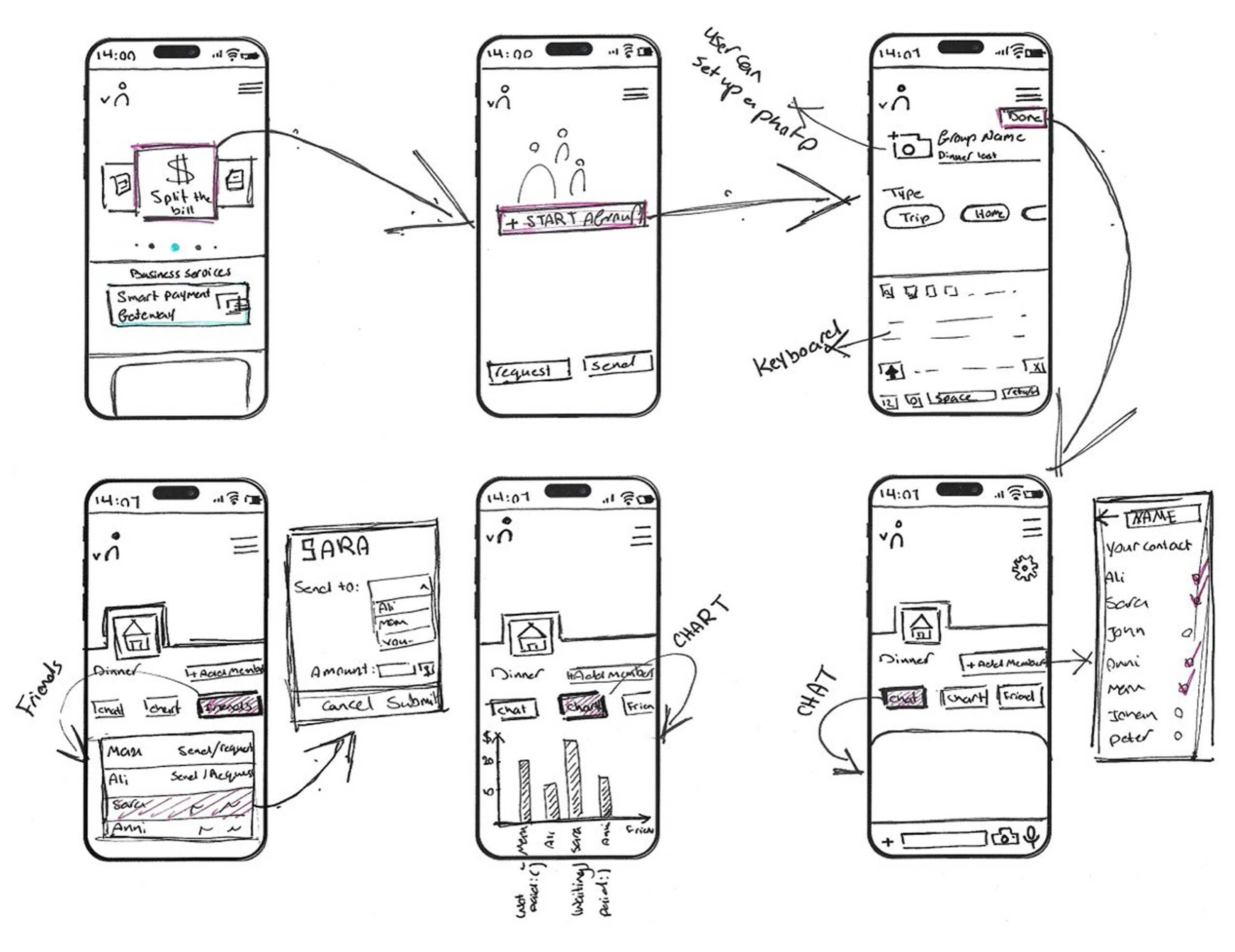
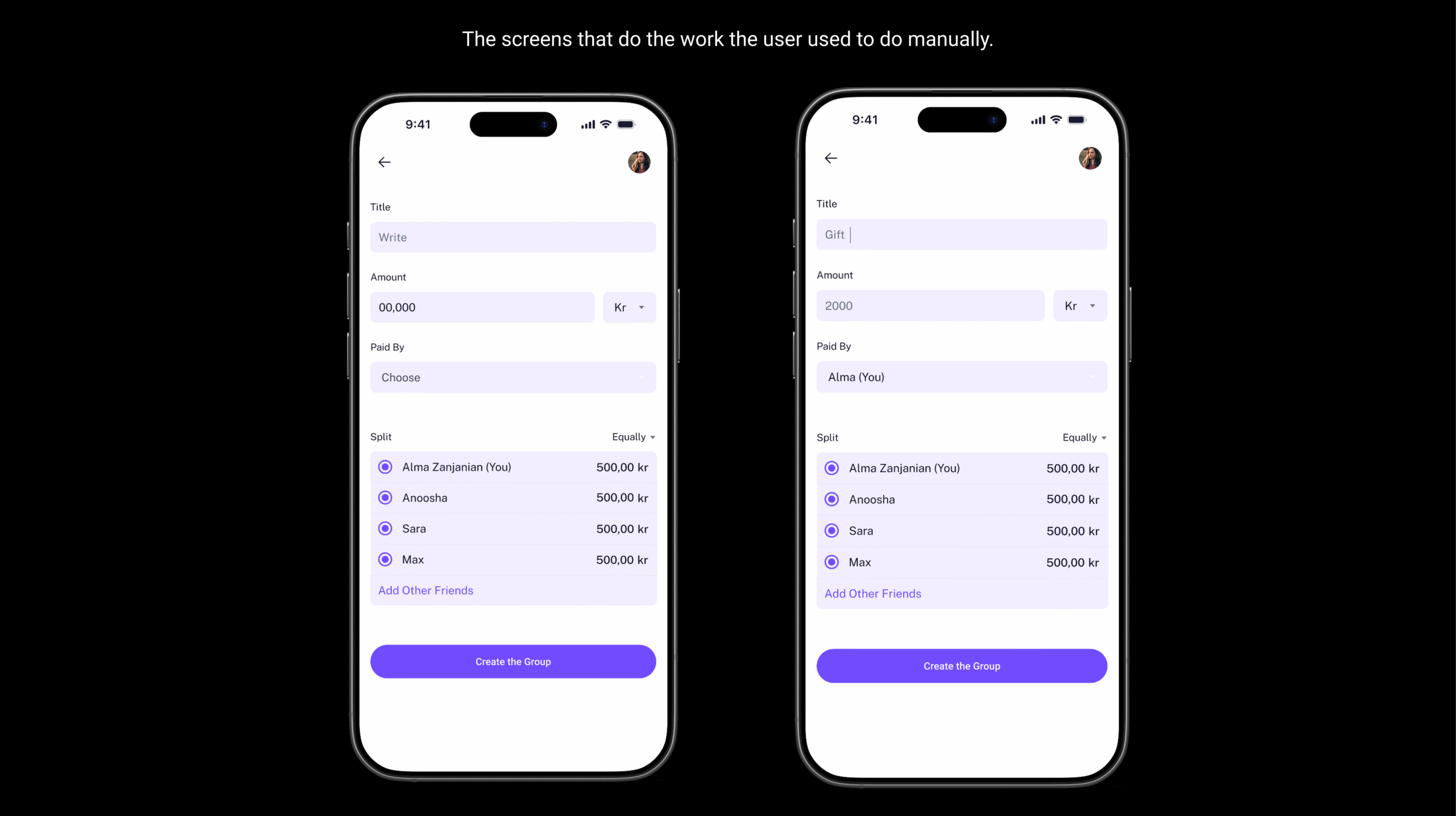
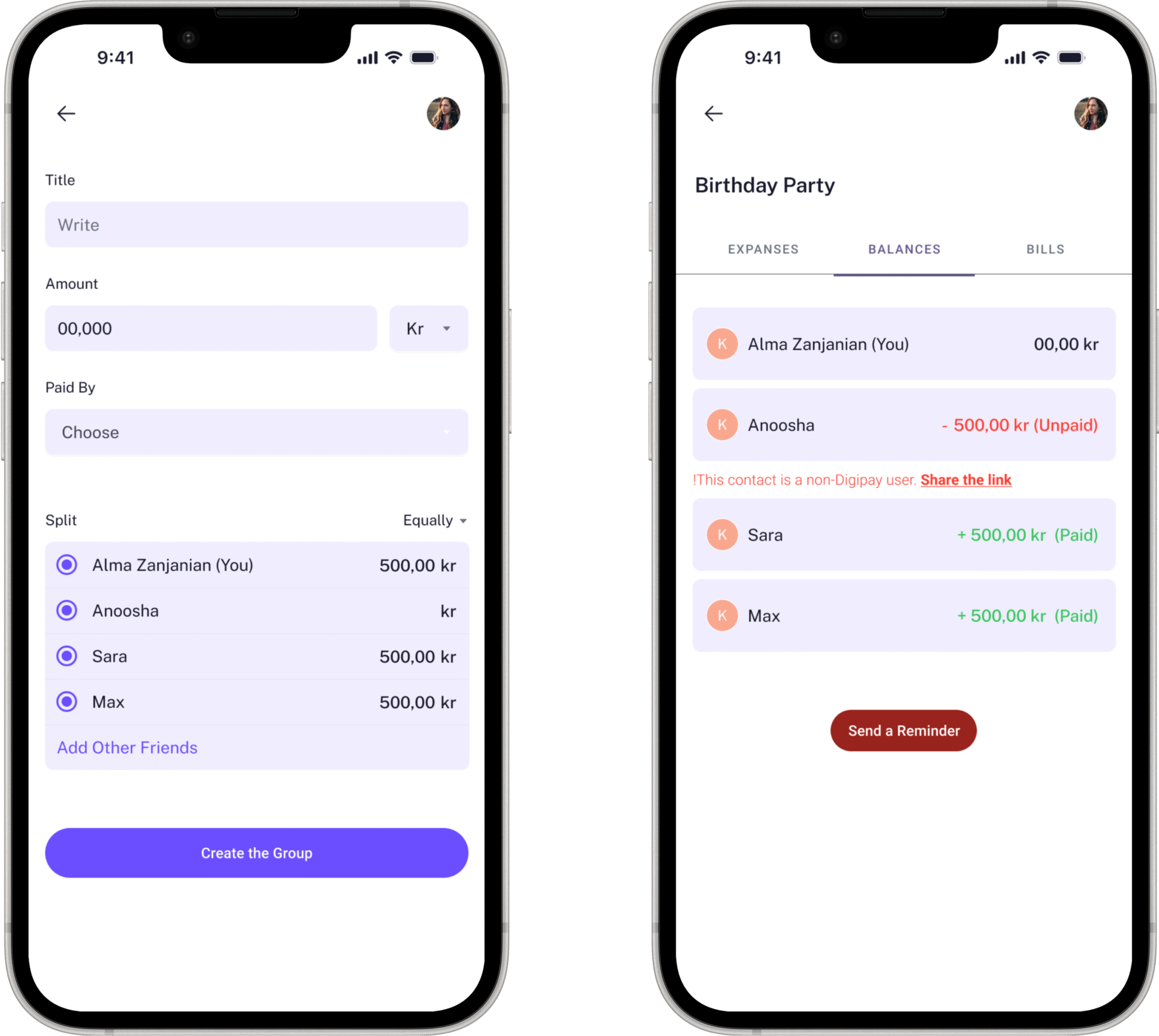
Expense tracking; Adding an expense required four pieces of information: what was it, how much, who paid, and how to split it. That’s the complete mental model of a shared expense. 
The split defaults to Equally the most common scenario with individual amounts calculated automatically and displayed immediately. The user never touches a calculator. The mental arithmetic participants described as exhausting is removed entirely.

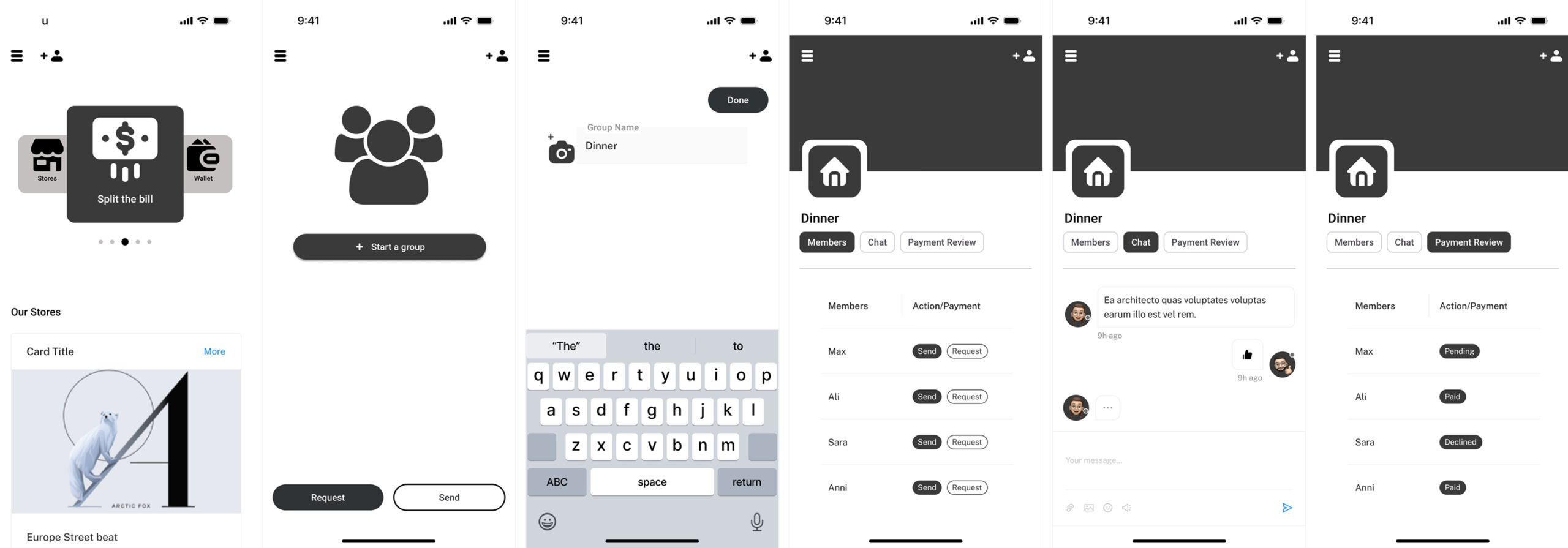
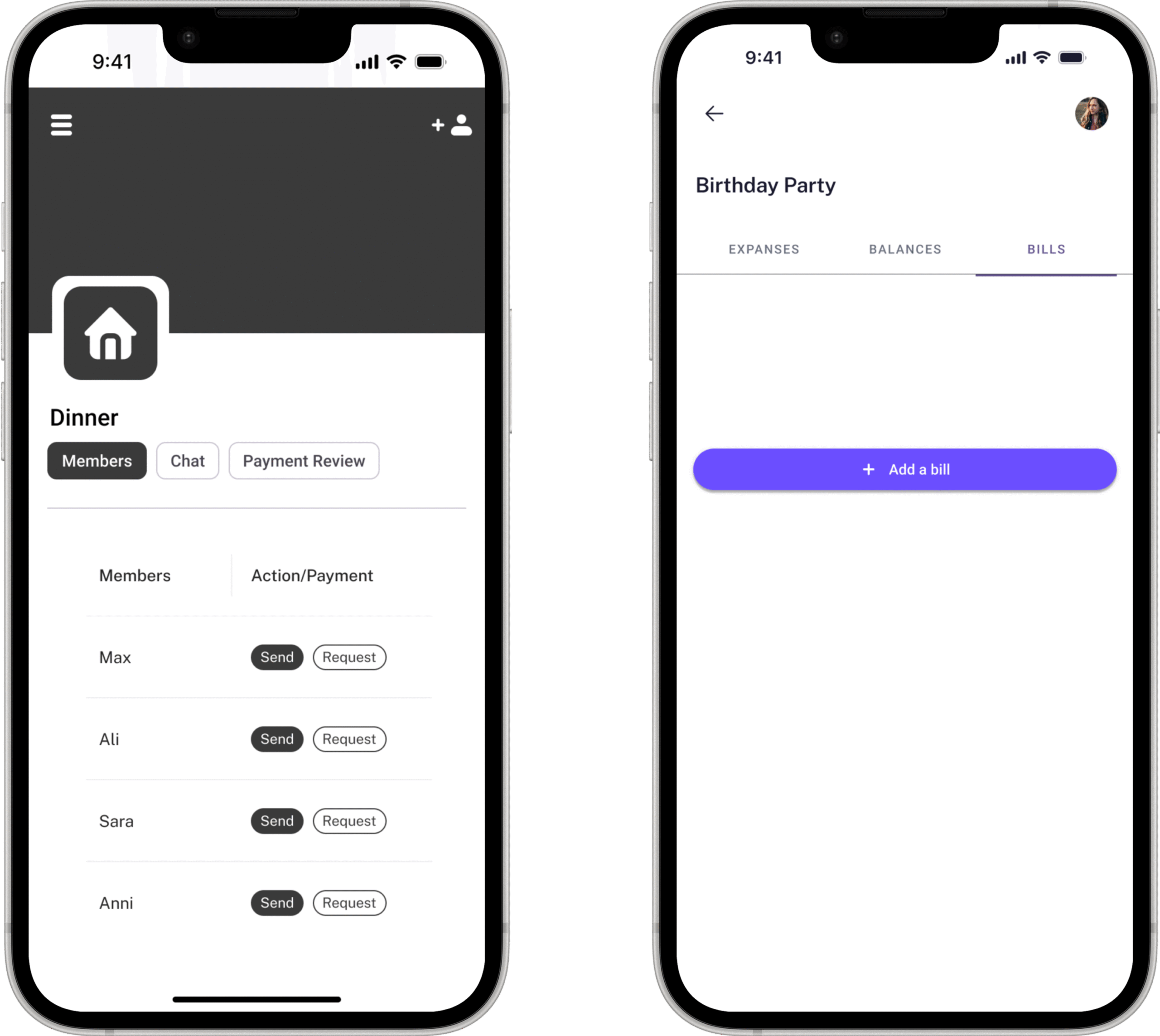
The three-tab structure across the group view, Expenses, Balances, Bills divides the information cleanly by purpose. Expenses is your history. Balances is your current status. Bills is your documentation.

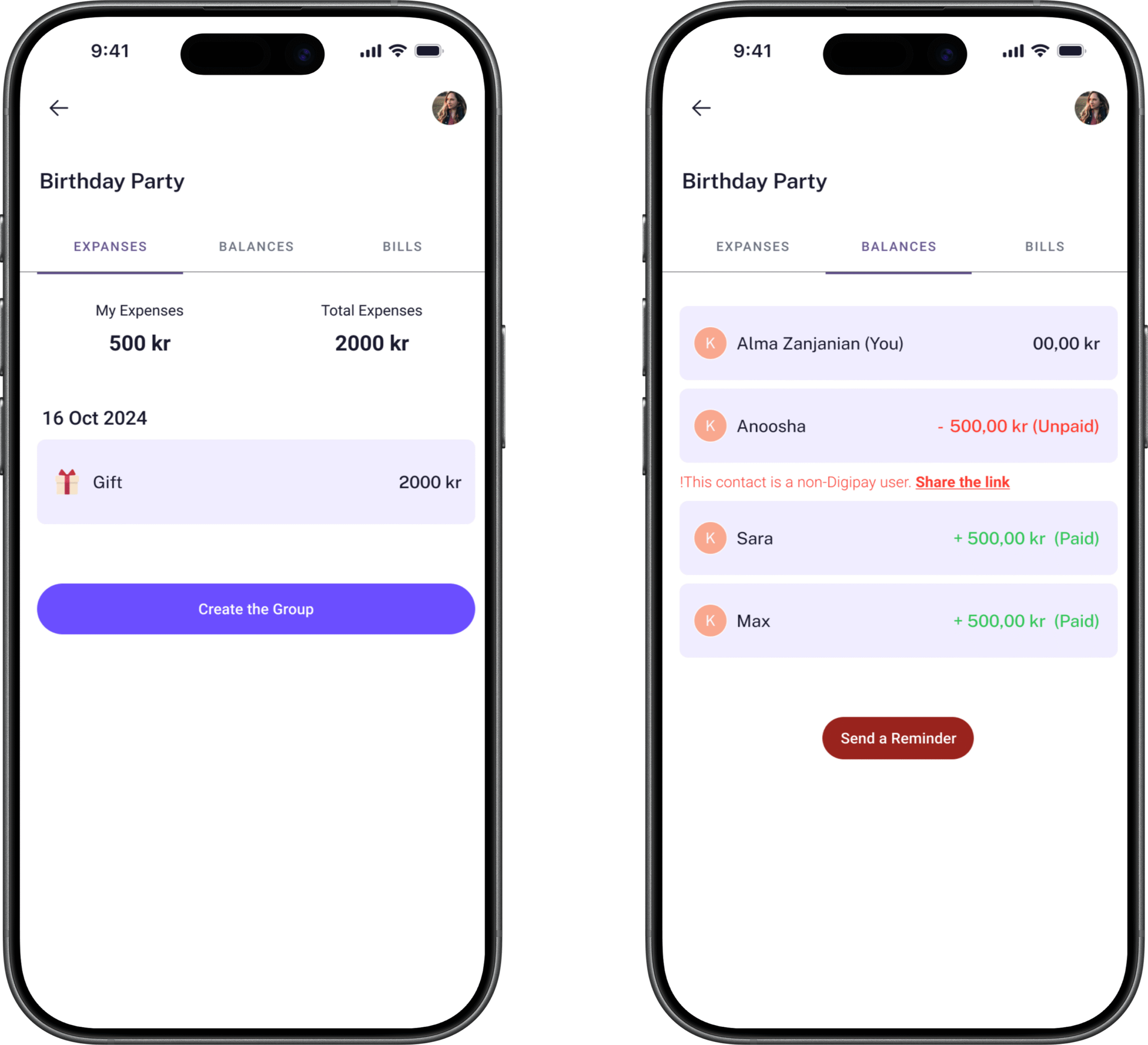
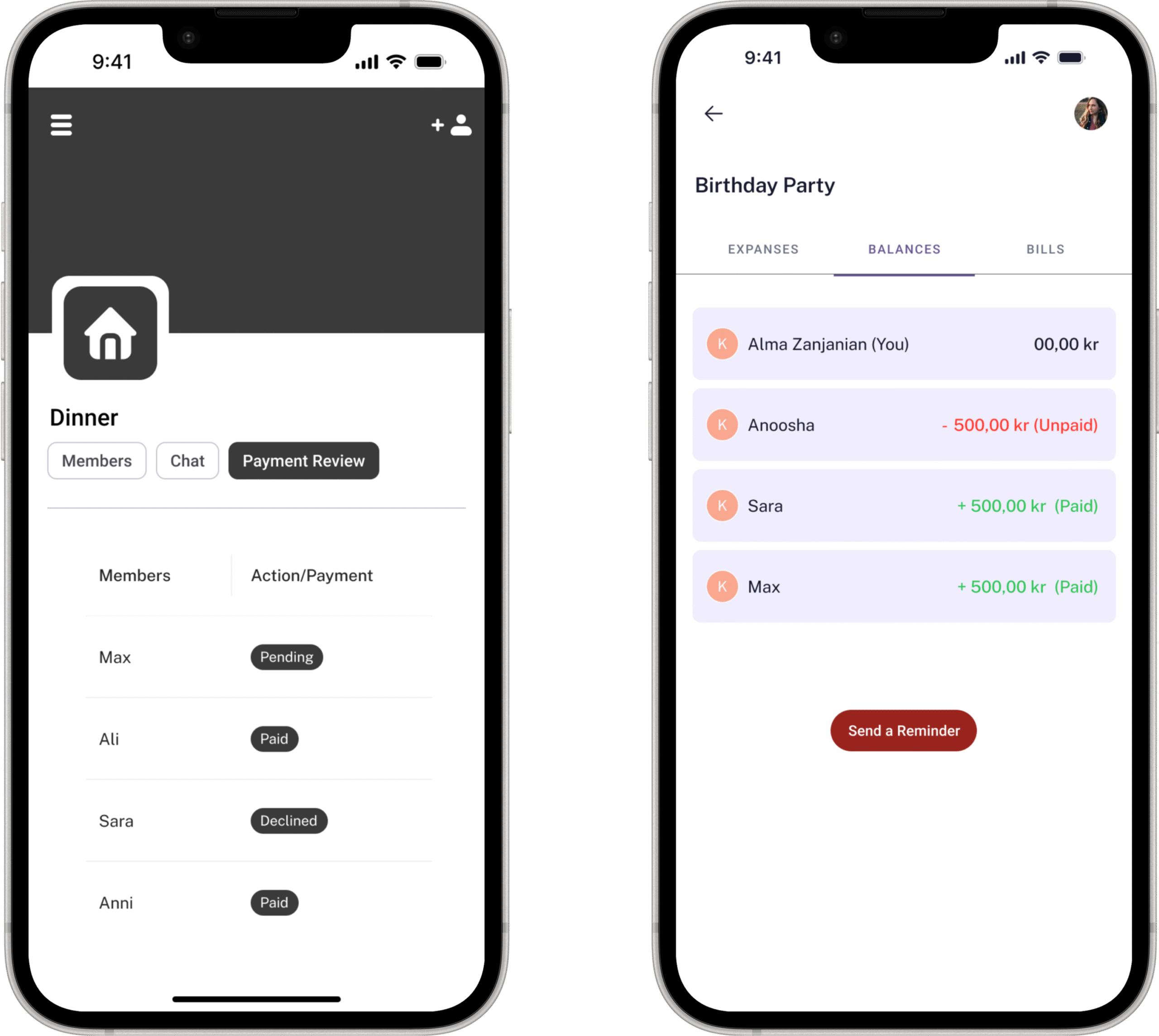
The Send a Reminder button is the feature I’m most proud of because of what it replaces.

It replaces the personal, uncomfortable, relationship-straining conversation our research participants described giving up on entirely. It doesn’t come from you, it comes from the app. The payer doesn’t have to compose a message, choose words carefully. And the person receiving it gets a neutral payment notification, not a message from a friend that could be misread as frustration or accusation.

One button removes the primary social pain point our research identified from day one.

The most important screen in the feature, the one that replaces the awkward conversation.

This is where the social problem gets its design solution.

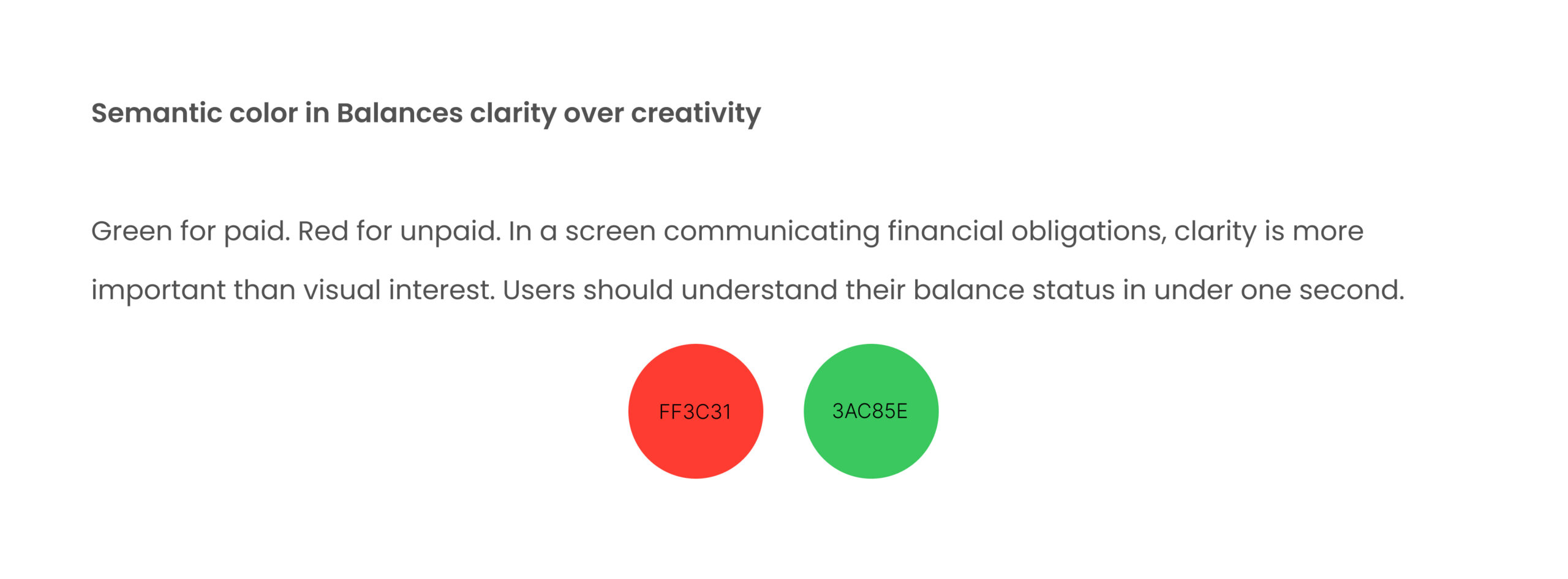
The Balances tab shows every participant’s status in one immediate view. Green and positive for paid. Red and negative for unpaid. No ambiguity and mental tracking. No WhatsApp archaeology.

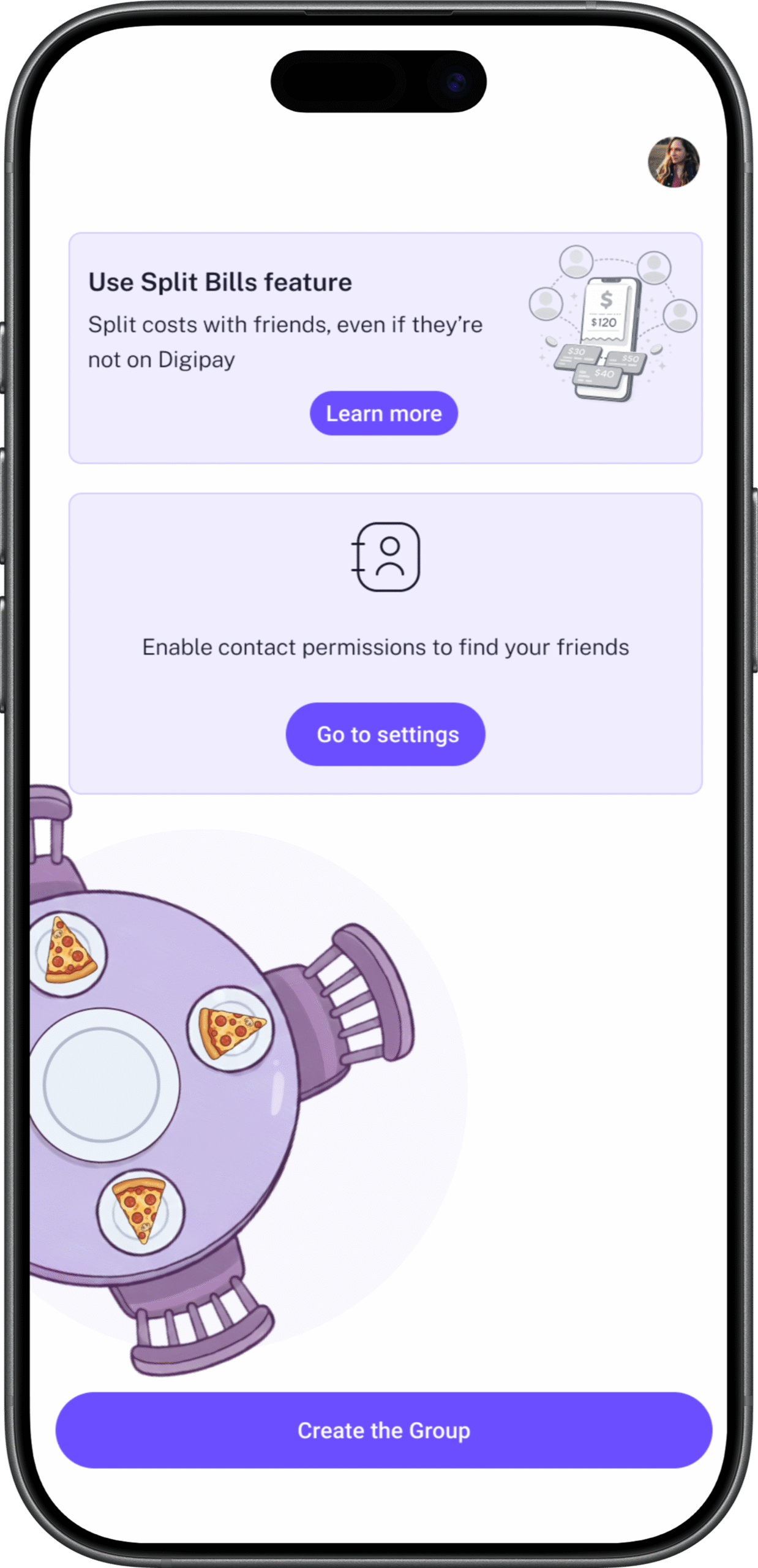
For non-Digipay users a critical challenge, a contextual flag appears: “This contact is a non-Digipay user. Share the link.” Rather than blocking the experience or requiring app downloads, the feature offers an immediate resolution path.

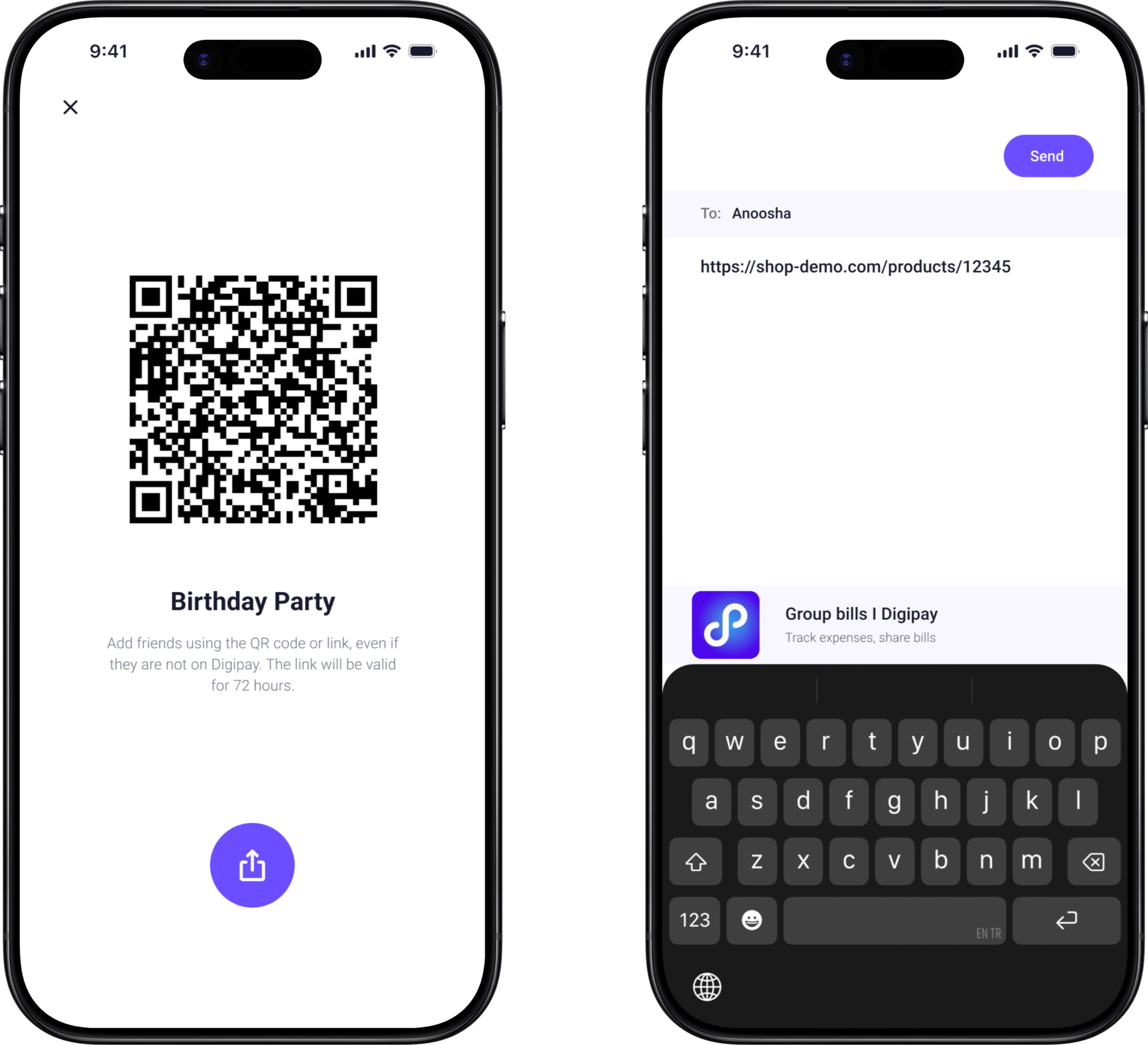
The QR code and shareable link serve two formats of the same solution. In person, scan the QR code at the table. Remote, send the link via any messaging app. The same feature works for both contexts without requiring the user to think about which format applies.

Iterations from Testing

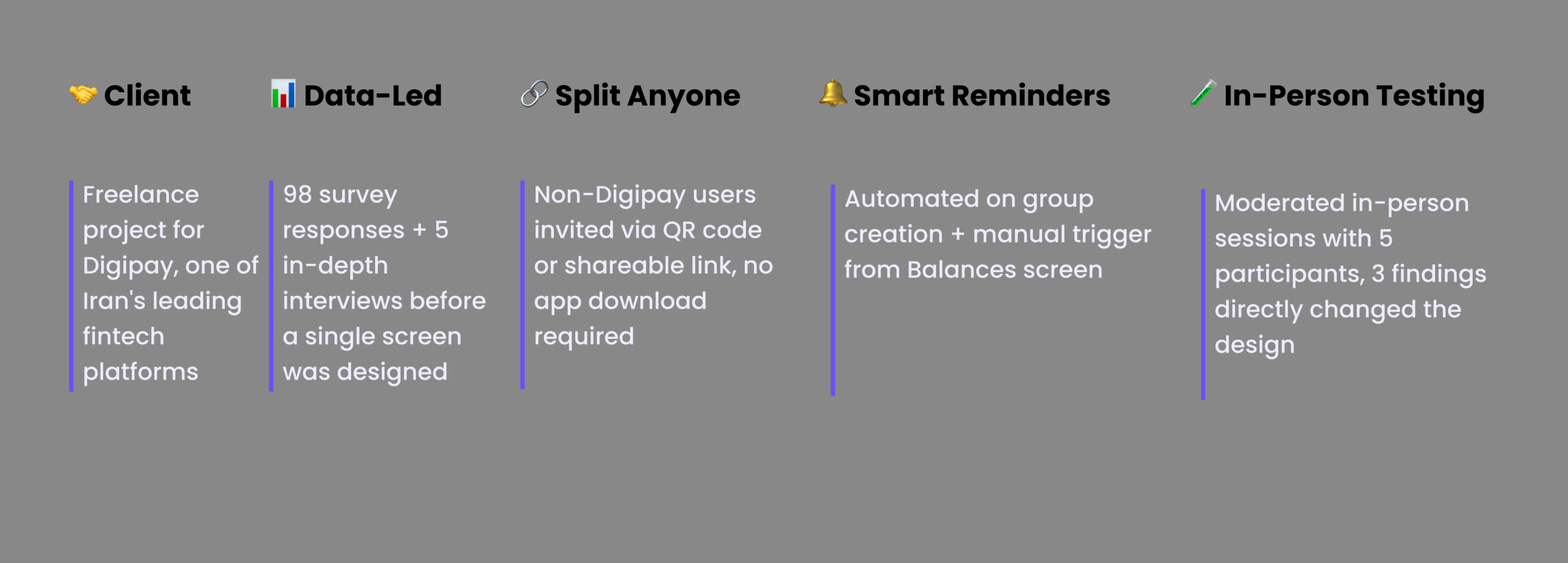
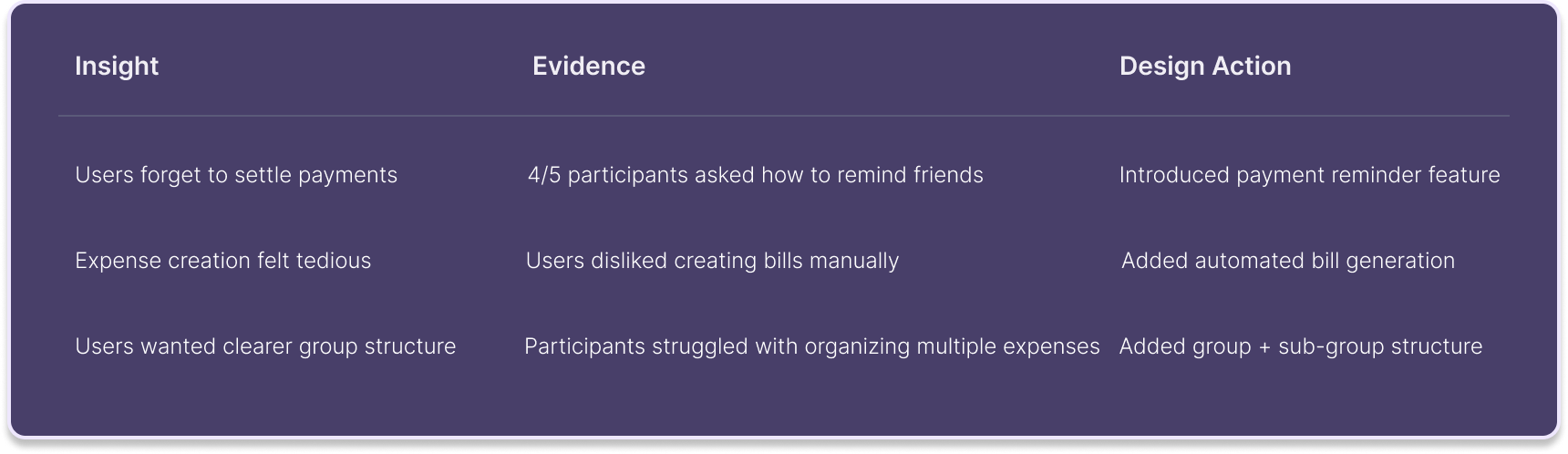
We ran in-person moderated usability testing with 5 participants aged 24–45. Four tasks: create a group for a trip, add an expense, split a bill, check balances.

Payment Reminders: 4 out of 5 participants asked how to remind friends. The reminder mechanism wasn’t prominent enough in the first version. We made Send a Reminder the primary CTA on the Balances screen, not a buried option, but the most visible action when an unpaid balance exists.

Group Structure and Organization: Participants struggled organizing multiple expenses across different occasions within one group. They expected sub-categories. We added the hierarchical group structure, allowing a “Trip” group to contain separate expense categories for accommodation, food, and activities.

Bill Upload Capability: Two out of five participants instinctively looked for a way to photograph and attach the original receipt. This wasn’t in our original design. Testing revealed it. We built it before final delivery. Attaching the original bill removes any possible ambiguity about the amount, the ultimate trust mechanism in a shared expense.

Net Balance Calculation: Users expected the system to automatically calculate the net balance between participants. If User A owes User B 1000 SEK and User B owes User A 500 SEK, the app should show a simplified result: User B owes User A 500 SEK. We added automatic net balance calculation to remove this mental arithmetic entirely.

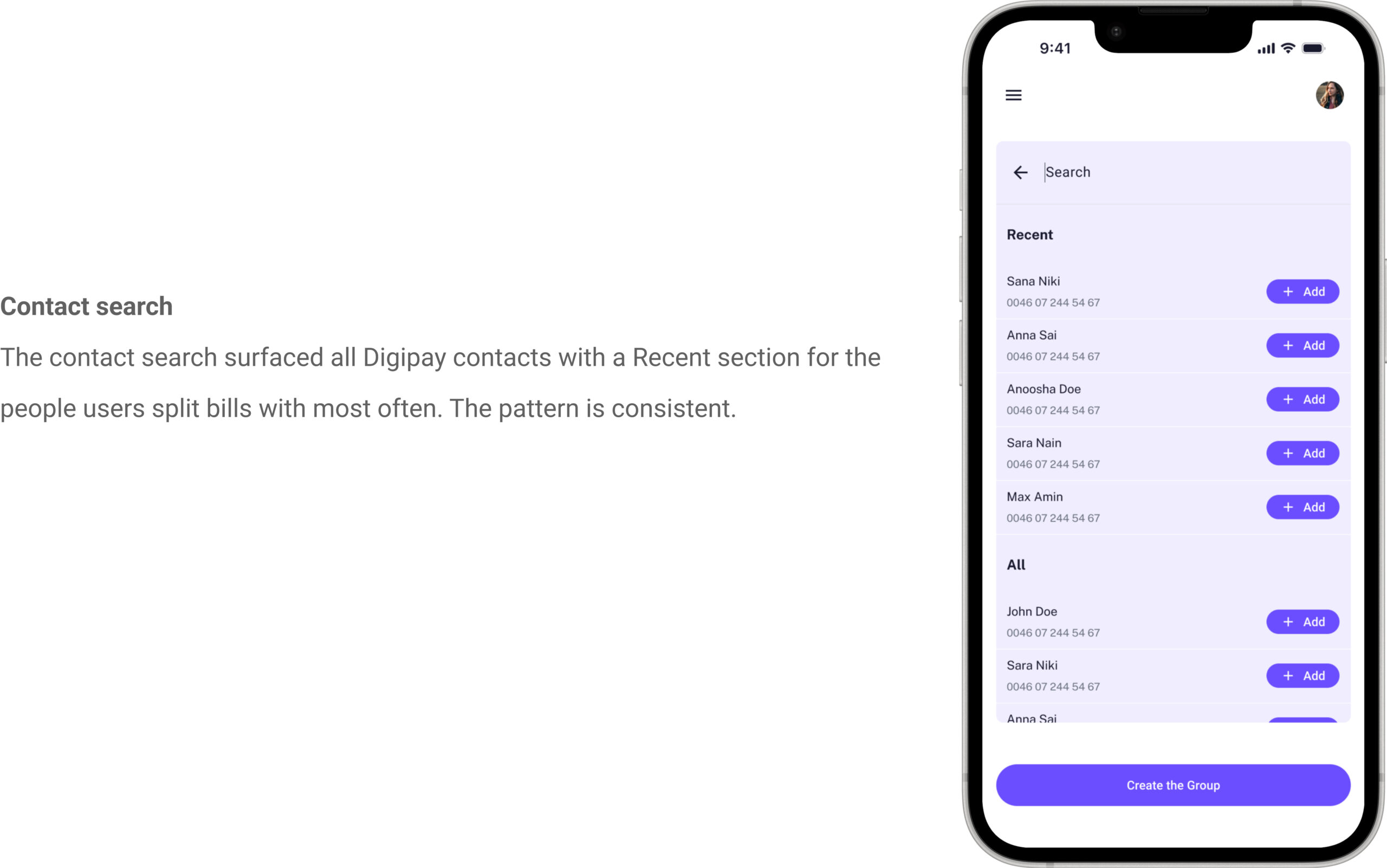
Flexible Participant Management: Users needed a flexible way to include both Digipay and non-Digipay participants. We solved this by enabling invitations via QR code and shareable link, no app download required for the recipient.

Visual Design

The colour system, four levels of depth

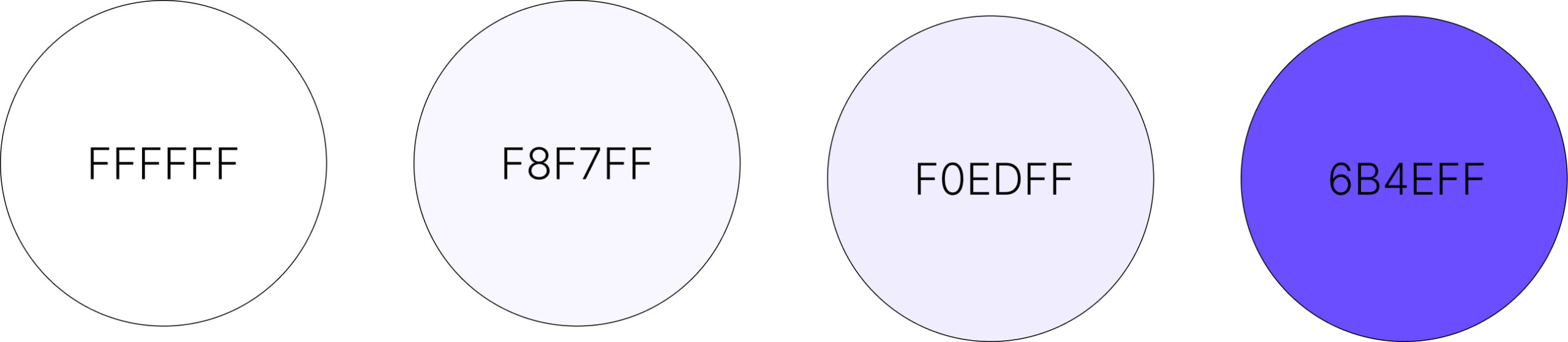
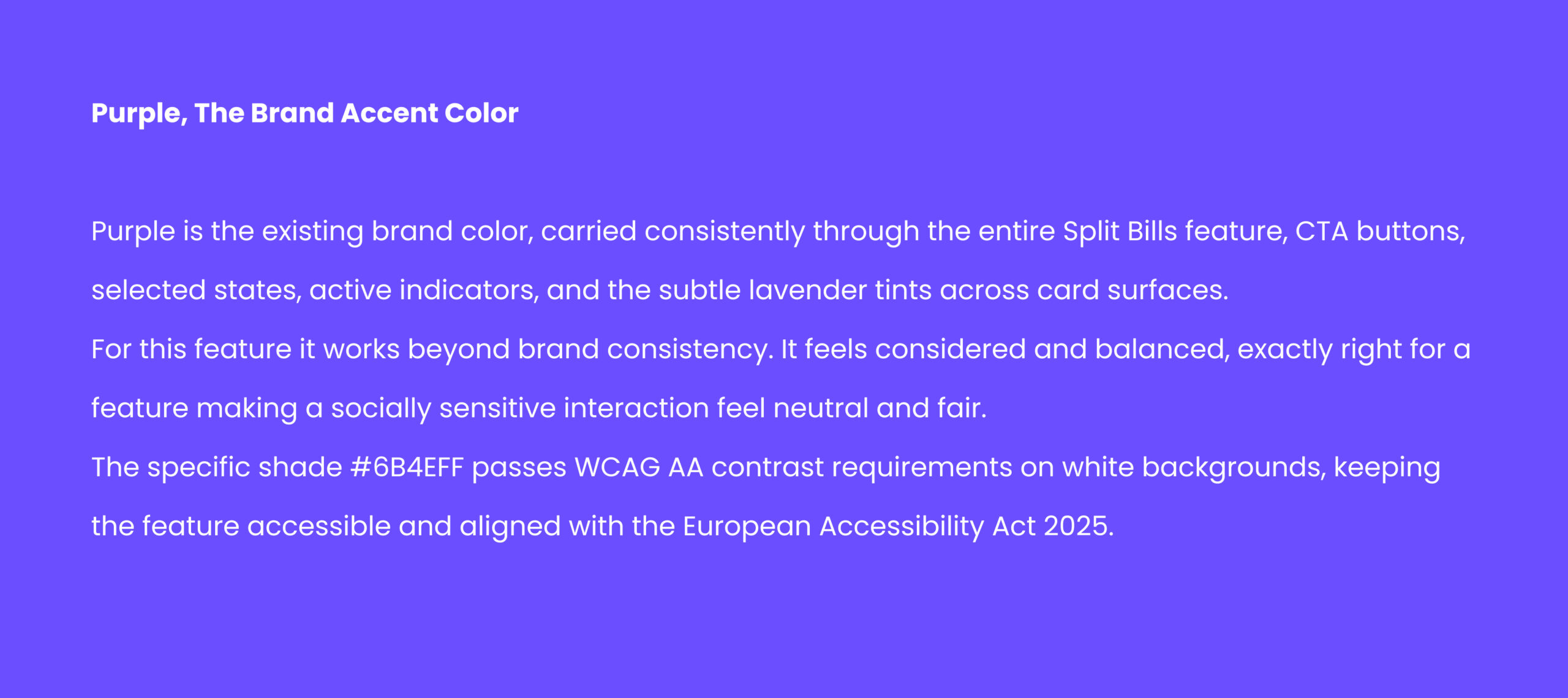
White #FFFFFF for the app background. #F8F7FF near-white with a faint purple tint for card surfaces and participant rows. #F0EDFF light lavender for input fields and interactive containers. #6B4EFF primary purple for CTA buttons, selected states, and active indicators.

This creates visual hierarchy through colour temperature rather than shadow a more refined and accessible approach.

Final Design

Following key improvements and iterations, the final design simplifies group expense management, reduces manual effort, and improves clarity across every step of the experience.

From the moment a group is created, the feature works so the user doesn’t have to. Expenses are tracked automatically. Balances are calculated in real time. Reminders are sent without the user having to initiate an uncomfortable conversation. Non-Digipay users are included seamlessly through QR codes and shareable links.

By addressing the real problem, social discomfort around money, not just technical complexity, the design transforms a fragmented and awkward experience into something that feels natural, fair, and easy.

What I'd Do Differently

I’d design for the receiving end of a reminder.

We spent significant design energy on the person sending a reminder, removing their discomfort, making the action feel neutral and easy. We didn’t spend enough time designing what happens on the other side.

What does the notification look like when someone receives a payment reminder? What does it say and in what tone? Does it give the recipient a frictionless one-tap path to pay immediately? Or does it send them on a journey through the app before they can settle?

In the next version, I’d design the complete reminder loop, notification copy, landing screen for the recipient, one-tap payment confirmation, so the experience closes as seamlessly as it opens.

I’d also test with a wider age range.

Our 5 usability test participants were aged 24–45. The feature is equally relevant for older adults, parents splitting holiday costs, colleagues at company dinners. Older users may have different comfort levels with AI-generated content, different expectations around privacy, and different patterns of trust in automated reminders. Testing only with younger users gave us confidence for one segment while leaving others untested.


The biggest thing I learned:

The hardest part of designing a financial feature isn’t the numbers. It’s the relationships. Every screen in this project was ultimately about protecting the social bond between people while helping them be fair to each other about money. The moment I understood that, really understood it, every design decision became clearer.